Calendar
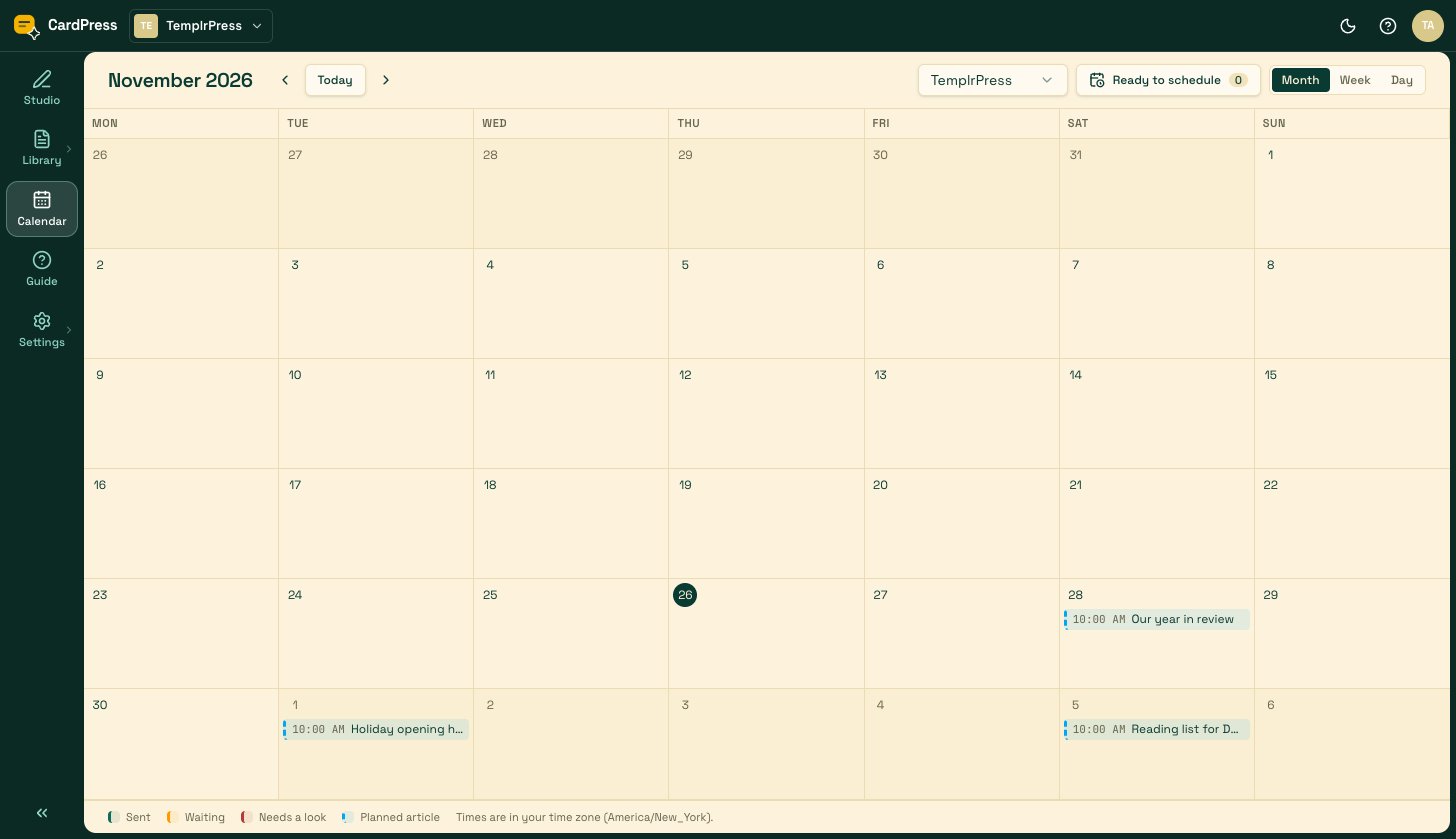
The Calendar shows what goes out and when.
Views
Month, Week or Day. The arrows and Today move through time. Brand shows one brand or all of them. Times are in the local time zone, named at the foot of the page.
Colours
| Mark | Meaning |
|---|---|
| Theme colour with a lock | Sent |
| Amber | Waiting to be sent |
| Red | Failed, missed, or to be checked on LinkedIn |
| Blue, dashed | An article's planned date. Nothing is sent. |
Schedule from the calendar
Press + on a day and pick an approved item from Ready to schedule.
Move or cancel
Press a waiting post, then Move… or Cancel post.