Seasonal greetings
A greeting card marks an occasion in the brand's name: artwork for the season, a short wish, and a post to go with it.
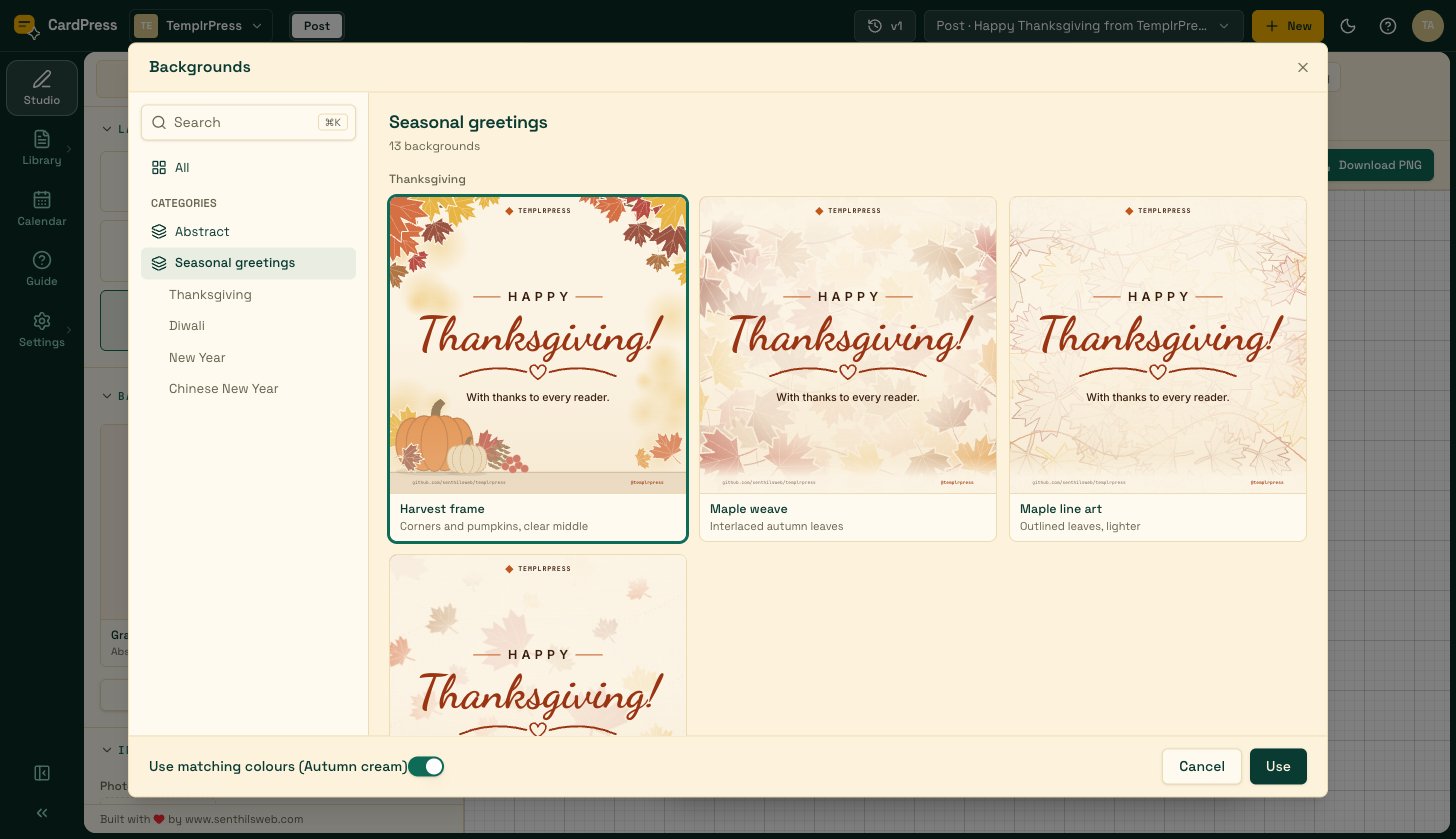
Occasions
| Occasion | Backgrounds | Matching colours |
|---|---|---|
| Thanksgiving | Harvest frame, Maple weave, Maple line art, Falling leaves | Autumn cream |
| Diwali | Diyas, Rangoli, Marigold garlands | Festival night |
| New Year | Fireworks, Confetti, Midnight clock | Midnight gold |
| Chinese New Year | Red lanterns, Plum blossom, Lucky clouds | Lunar red |
Make a greeting card
- Press New.
- Design → Layout → Greeting. The card becomes square, unless another size was chosen.
- Design → Background → Browse backgrounds, search for the occasion, select one and press Use. Use matching colours sets the colours too.
- Fill in the words under Details → Card words, or ask in the chat.
- Write the post, then Approve and publish or Schedule… for the day.
The greeting layout
| Field | Where it shows | Example |
|---|---|---|
| Eyebrow | Small, widely spaced words at the top | Happy |
| Headline | Large script. It shrinks to fit. | Thanksgiving! |
| Subtitle | The message, centred | With gratitude for everyone we serve. |
| Sign-off | Script, lower right. Enter starts a new line. | From all of us at TemplrPress |
Design → Fine tune → Show ornament switches the heart flourish. The script font is set under Design → Fonts. Harvest frame leaves the middle of the card clear for the words.
With chat
Open Chat, tick Post and ask, for example:
- "Write a short Thanksgiving post to our readers."
- "Give me three Thanksgiving headlines."
- "Add a subtitle thanking our customers."
- "Remove the eyebrow and clear the left footer."
Select a headline to see it on the card, then Save as version. The chat writes the words; the background and colours are chosen under Design. Choosing a background never changes the words.
New backgrounds can be plugged in. Each background is a small add-on. Adding one takes little effort, and it then becomes available to everyone using this CardPress: ask the person who runs it. For a one-off design, any custom picture can be used instead: add it under Design → Images → Background image and choose Own image.